
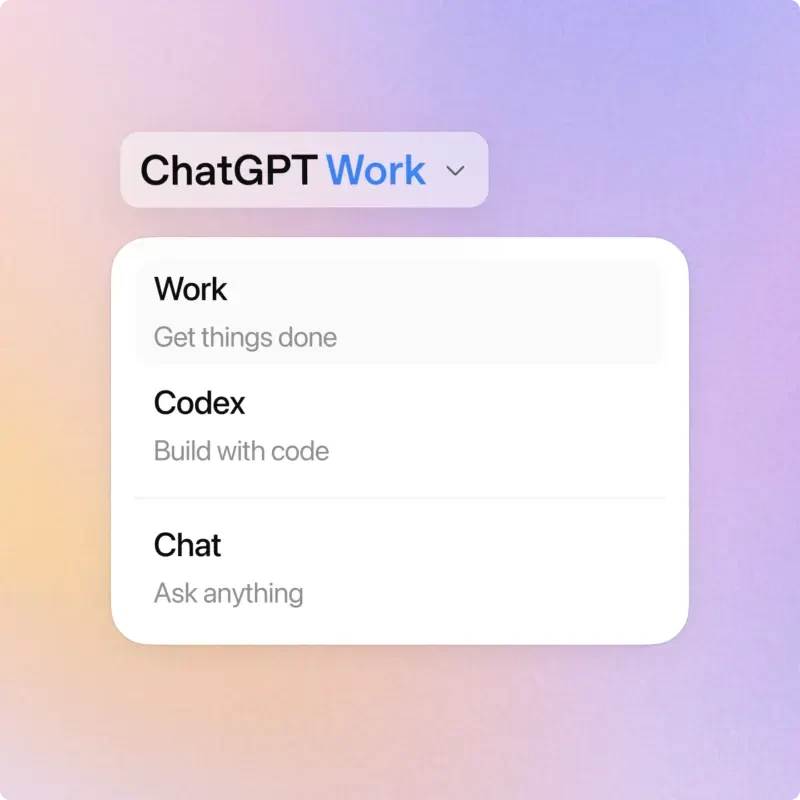
World of professional productivity has just welcomed a brand new sophisticated tool. OpenAI has just launched ChatGPT Work, a new artificial intelligence (AI) agent specifically designed to simplify office work.
This tool boasts impressive capabilities, ranging from drafting documents, creating presentations, processing spreadsheet data, to automating various tedious routine tasks.

This innovation is part of OpenAI’s grand vision to create a ‘super app’. The application integrates the strengths of ChatGPT, Codex programming capabilities, and various other AI intelligences into a unified platform.
Unlike Codex, which is highly technical for programming, ChatGPT Work focuses entirely on facilitating smooth daily operational workflows in the office.

High Analytical Capabilities Thanks to GPT-5.6
In fact, this smart device is powered directly by OpenAI’s latest family of AI models, namely GPT-5.6.
The model comes in Sol, Terra, and Luna variants, which are claimed to be highly reliable in handling complex tasks, flexible in adapting to changing instructions, and capable of producing mature output even with minimal commands.
This AI system can instantly gather context from various applications, documents, and user desktop activities.
From the collected data, ChatGPT Work can instantly transform it into ready-to-use reports or neat presentations according to the graphic templates and work formats commonly used in the user’s office.
This is the most interesting part. The device is equipped with a flagship feature called Plan Mode. Through this smart feature, the AI will not immediately execute tasks randomly.
The system will first collect the problem context, draft a structured work plan, and then ask for user approval before starting to execute the task automatically.
Able to Create Web Applications Up to Controlling ‘Computer Use’
The expansion of features in ChatGPT Work brings about massive changes. One of them is the presence of the Sites feature.
This revolutionary feature allows users to ask artificial intelligence to instantly design websites or simple web applications, such as project tracking dashboards, product launch calendars, to interactive internal reports.
However, the surprises from OpenAI do not stop there.
On the desktop application for Windows and macOS, ChatGPT Work is equipped with a built-in browser and computer use capabilities.
This technology grants AI the permission to directly interact with other desktop applications, browse the web, and even move files independently if necessary to complete tasks.
There is also a Task Scheduling feature that functions to schedule routine jobs to be automatically executed by the AI at certain hours. The progress of the running task can even be monitored directly via a smartphone screen.
Ecosystem integration is also very easy because the tool supports more than 1,400 plugins. Users simply need to type the ‘@’ symbol in the chat room to connect the AI with popular work applications such as Slack, Google Drive, Notion, and GitHub.
OpenAI emphasizes that users remain in full control over access permissions and data security processed by the AI.
Availability and User Access
The ChatGPT Work service is reportedly starting to be officially launched. This feature can already be enjoyed by all users through the ChatGPT desktop application on Windows and macOS devices.
Meanwhile, access via web browser and smartphone applications will be provided gradually over the next few days. This access is prioritized for loyal customers at the ChatGPT Plus, Pro, Business, Enterprise, and Edu levels.
Is your office ready to welcome high-level work automation from this super AI agent? While preparing a new digital workflow, let’s discover AI optimization guides, reviews of the latest productivity software, or other interesting technology tips only at TheCuy Tekno!
FAQ
Who can enjoy the ChatGPT Work service at this time?
The service is already available on Windows and macOS desktop applications, while web and mobile access will be gradually provided for Plus, Pro, Business, Enterprise, and Edu customers.
What is ChatGPT Work?
ChatGPT Work is a new AI agent from OpenAI powered by the GPT-5.6 model to assist professional tasks such as creating documents, processing data, and desktop automation.
What is the function of the Plan Mode feature in ChatGPT Work?
The Plan Mode feature serves to first compile a structured work plan and request user approval before the AI executes the task automatically.
How to connect ChatGPT Work with applications like Slack or Google Drive?
Users simply need to type the ‘@’ symbol in the chat room to call and connect the AI with more than 1,400 supported third-party application plugins.

Penulis Berpengalaman 5 tahun.