
HP kamu sering tiba-tiba panas? Jangan panik! Cari tahu penyebab HP cepat panas yang paling umum dan cara untuk mengatasi masalah tersebut.

Memahami berbagai penyebab HP cepat panas merupakan langkah krusial bagi setiap pemilik smartphone agar perangkat tidak mengalami overheat yang berisiko merusak komponen internal.
Suhu tinggi pada ponsel sering kali disebabkan oleh kerja ekstra beberapa komponen utama, seperti chipset (prosesor), baterai lithium-ion, hingga panel layar yang menyala dalam waktu lama.
Kondisi ponsel yang terlalu panas bukan hanya membuat tidak nyaman saat digenggam, tetapi juga dapat menurunkan kesehatan baterai (battery health), memicu penurunan performa (throttling), hingga membuat HP sering mati mendadak.
Artikel ini akan mengulas secara mendalam berbagai faktor penyebab HP cepat panas beserta panduan langkah penanganannya yang aman dan ampuh.
5 Main Reasons Why a Phone Overheats Quickly or Overheats
1. Frequently Playing Games

When you spend too much time gaming and lose track of time, you often notice the phone becoming warm and uncomfortable to hold.
Gaming demands high performance, causing the processor to work harder, especially on graphics. As a result, the smartphone overheats.
2. Streaming for Extended Periods

Much like gaming, watching streaming services such as YouTube or Netflix for hours on end also forces the smartphone to work harder. The phone continuously processes video and keeps the screen active for long periods.
3. Suboptimal Smartphone Settings
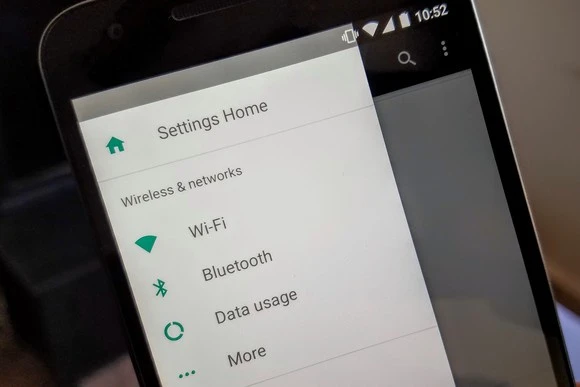
Certain smartphone settings can significantly affect power consumption. Check if your brightness is set too high or if there are too many widgets. You can inspect and reset them.
4. Environmental Factors
Leaving a phone inside a parked car or under direct sunlight is a highly dangerous cause of rapid phone heating.
High external temperatures can damage the chemical structure of the battery, reduce touchscreen panel sensitivity, and increase the risk of battery swelling.
5. Not Updating Frequently
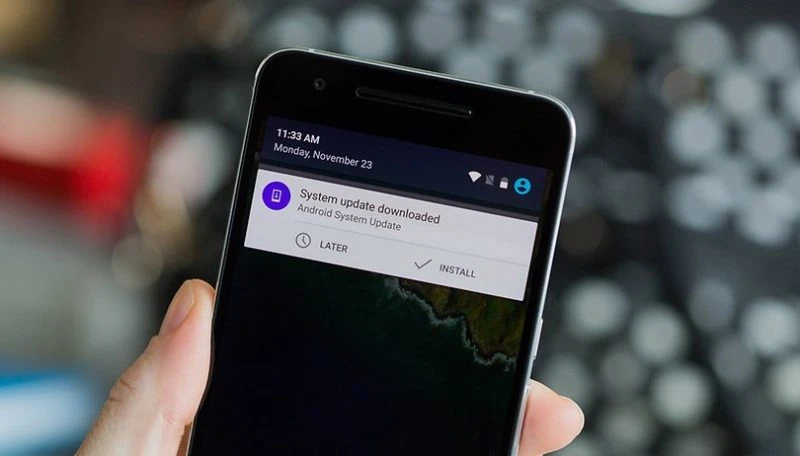
If an application contains bugs or other issues, the phone may become hot because the processor is forced to work harder.
Although rare, a phone can also overheat if there’s a bug in the operating system. The solution is to update the OS or any apps that have new releases.
How to Prevent a Phone from Overheating Quickly
To prevent a phone from overheating quickly, remove any case that could trap heat. Next, enable airplane mode and turn off power‑draining features such as wireless radios, Wi‑Fi, Bluetooth, and cellular signals.
If you’ve ever considered putting a phone in the fridge to cool it down, don’t. The smartphone could be damaged by extreme temperatures. Instead, use a mini fan to help lower the phone’s temperature.
Frequently Asked Questions
Q: Is it normal for a phone to feel warm while charging?
A: A warm temperature is normal because high‑power electricity flows into the battery cells (especially with Fast Charging). However, if the temperature becomes extremely hot to the touch, unplug the charger immediately.
Q: Why does a phone stay hot even when not in use?
A: It’s typically caused by buggy background apps, a weak cellular connection that makes the phone keep searching for a signal, or the presence of malware/adware.
Q: Can a hot phone cause permanent damage?
A: Yes. Continuously high temperatures above 45°C can cause permanent degradation of battery cells, damage screen components, and lead to thermal throttling (automatic performance reduction).
Understanding the various causes of rapid phone heating and how to handle them will help you maintain your smartphone so it stays durable, responsive, and comfortable for daily use.
If you’re looking for the latest gadget tips and tricks, smartphone care guides, and updates on current tech news, don’t hesitate to keep reading more interesting articles on TheCuy Tekno!
Jangan lewatkan cerita TheCuy berikutnya
Ikuti sekali — update datang ke tempat kamu biasa scroll.

Penulis Berpengalaman 5 tahun.