
New SIM still has no signal? Come on, follow the guide on how to register Telkomsel new and old cards via SMS & Dial that is guaranteed to succeed!
Before you can enjoy internet, telephone, and messaging services, every mobile operator subscriber is required to register their number using their real identity.
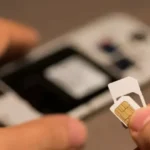
This requirement is strictly regulated by the Ministry of Communication and Digital (Komdigi) to eradicate cyber crimes, hoax propagation, and fraud disguised as giveaway.
Therefore, knowing how to register a Telkomsel card becomes a crucial first step when you just bought a new starter number.
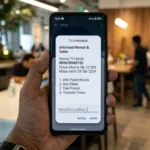
This validation process will directly match your data with the Population and Civil Registration Directorate General (Dukcapil) database of the Ministry of Home Affairs to keep the national digital ecosystem secure.
So, what is a practical, valid, and fast way to register a Telkomsel card that the system can quickly process? Come on, check out the complete tutorial guide below!
Requirements for Registering a Telkomsel Card
- Population Identification Number (NIK)
- Family Card Number (KK)
- Stable Network
3 Ways to Register Telkomsel Card via Mobile Phone
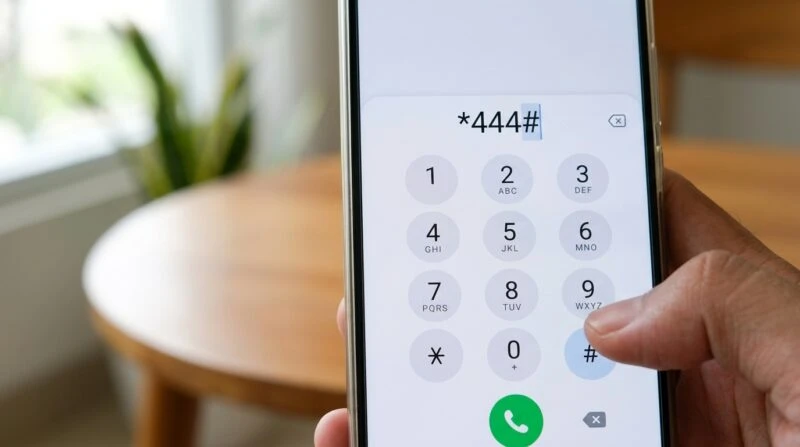
Telkomsel offers several registration route options you can choose without needing to use internet quota.
1. How to Register a New Telkomsel Card via USSD Code
- Open the Phone / Call menu on your phone.
- Dial the UMB code *444# and press the Call button.
- In the pop-up window that appears, select menu 1. Registration.
- Enter your 16-digit NIK from your ID card, then send.
- Enter your 16-digit Family Card Number, then send.
- Check the summary of numbers again. If correct, confirm registration.
- Wait until you receive an SMS notification from 4444 confirming successful registration.
2. Re-register Old Telkomsel Card
- Open the Phone menu, then dial the code *444#.
- Select the Re-registration menu option.
- Enter your 16-digit NIK and 16-digit KK number sequentially.
- Confirm the data and wait for an SMS reply confirming that your old number has been successfully updated in the database.
3. Via SMS to Number 4444
- For New Customers
- Open the Message app, type the format REG#NIK#FamilyCardNumber (Example: REG#3171234567890001#3171234567890001), then send to 4444.
- For Old Customers (Re-registration)
- Open the Message app, type the format RE-REGISTER#NIK#FamilyCardNumber (Example: RE-REGISTER#3171234567890001#3171234567890001), then send to 4444.
Solutions if Telkomsel Card Registration Fails
What if you receive a reply that Telkomsel card registration has failed? Don’t throw away your starter card right away. This issue is usually caused by typing one digit incorrectly (typo) or NIK and KK data that hasn’t been synchronized (updated) in the central Dukcapil database (typically happens if you just got a new family card or changed residence).
The solution is to try restarting your phone or switching method (from SMS to USSD or vice versa). If that still doesn’t work, bring your original ID card and family card to the nearest GraPARI office to get direct assistance from a Customer Service officer (Veronika).
After registration is complete and signal is active, it is highly recommended to immediately download and log in to the MyTelkomsel application. Through this app, you can monitor remaining quota, purchase affordable data packages, and check active period without the hassle of remembering many USSD codes anymore.
FAQ
Does the Telkomsel registration process consume credit?
No. The entire registration process, both sending SMS to 4444 and accessing the UMB menu *444#, is completely free of charge.
How many Telkomsel numbers can be registered with one NIK?
According to government regulations, a single ID card NIK can only be used to register a maximum of 3 prepaid numbers from the same operator.
Can I register a Telkomsel number if I don’t have an ID card yet?
Yes. For students or those under 17 years old, registration can be done using the NIK listed on the Family Card document.
It’s very easy and fast, isn’t it? By registering your Telkomsel card independently using your real identity, you not only secure your personal number but also contribute to creating a healthy digital communication ecosystem in Indonesia.
Want to know recommendations for cheap internet quota packages, tricks to overcome slow networks, and other trusted telecommunication tips? Come on, keep following the latest article updates only on TheCuy Tekno!
Follow TheCuy — everywhere
Stay updated wherever you scroll.

Penulis Berpengalaman 5 tahun.