
Is your mobile number at risk of being blocked by the Ministry of Communication and Information? Secure your number now by following these steps to register a new and re-registered prepaid card!
Sesuai dengan Peraturan Menteri Komunikasi dan Informatika (Menkominfo) Nomor 14 Tahun 2017, pemerintah mewajibkan seluruh pengguna jasa telekomunikasi di Indonesia untuk mendaftarkan nomor ponsel mereka menggunakan identitas yang sah.
The Single Identity Number policy is specifically designed to protect the public from the increasing cases of SMS fraud, phone terrorism, and other cyber crimes.
If you ignore this warning, the Ministry of Communication and Information and mobile operators will not hesitate to impose gradual blocking sanctions.
Starting with the inability to make outgoing calls (after 30 days), then not being able to receive calls (15 days later), until the number is completely blocked.
To avoid such blocking sanctions, practicing prepaid card registration is an absolute requirement.
Without the hassle of visiting an operator store, here’s a complete guide to registering a new prepaid card and re-registering an old one (for all operators) via SMS to 4444.
Format and Instructions for Registering a Prepaid Card (New Number)
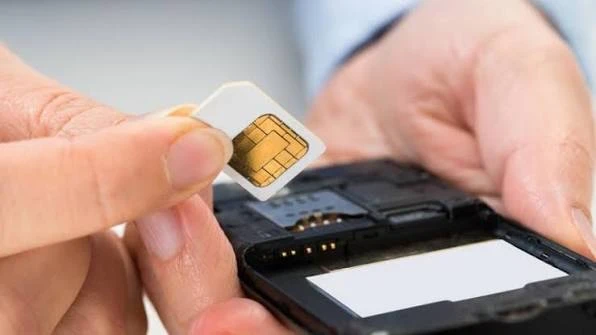
If you just purchased a new starter number from a mobile phone retailer, the card will not receive an internet signal until you register it. Here are the SMS registration formats for a new prepaid card, depending on the operator:
- Telkomsel (Simpati, Kartu AS, Loop): Enter:
REGNIK#NomorKK# - XL Axiata & AXIS: Enter:
DAFTAR#NIK#NomorKK - Indosat Ooredoo (IM3), Tri (3), & Smartfren: Enter:
NIK#NomorKK#
Sending steps:
- Open the Messages app on your phone.
- Type the SMS format above according to the prepaid card operator you are using.
- Enter the destination number 4444.
- Press the Send button.
- Wait a moment for the system to respond with a confirmation message that your new card registration has been successful.
Format and Instructions for Re-registering a Prepaid Card (Old Number)
For those who have been using a mobile number for a long time but have never linked it with valid Dukcapil data, you are required to re-register. The format for registering a prepaid card for existing users is slightly different:
- Telkomsel (Simpati, Kartu AS, Loop): Enter:
ULANGNIK#NomorKK# - XL Axiata & AXIS: Enter:
ULANG#NIK#NomorKK - Indosat Ooredoo (IM3), Tri (3), & Smartfren: Enter:
ULANG#NIK#NomorKK#
Sending steps:
- Open the Messages (SMS) app.
- Type the re-registration format above carefully (make sure no NIK/KK numbers are omitted).
- Send the SMS format to the number 4444.
- The system from the respective operator will promptly send a reply notification that your number’s status has been successfully updated into the national database.
Solutions If Registration Process Fails
When performing prepaid card registration, the 4444 system occasionally experiences disruptions due to server overload or data input errors. If your process fails, pay attention to the reply notification and follow these solutions:
- “Maaf, permintaan Anda tidak bisa diproses saat ini.”
- This message indicates that the Dukcapil server or operator is busy/network disruption. Solution: stay calm. Wait about 15 to 30 minutes, then resend the same SMS format.
- “Maaf, data Kartu Keluarga atau NIK yang Anda masukkan salah.”
- This message appears due to data mismatch on the Dukcapil server. Solution: take out your physical Family Card, then double-check whether there are any numbers that are typo (mistyped). If the numbers are correct but still fail, it’s possible that your KK data has not been updated in the local Dukcapil office, so you need to contact the Halo Dukcapil Call Center (1500537) or your mobile operator’s Customer Service.
FAQ
Apakah proses registrasi kartu prabayar melalui SMS ke 4444 memerlukan biaya pulsa?
No. The entire process of sending an identity registration SMS to 4444 is free of charge (pulse-free) for all telecommunications operators in Indonesia.
Maksimal berapa nomor HP yang dapat didaftarkan menggunakan satu NIK?
According to Kominfo regulations, a single Population Identification Number (NIK) is only allowed to register a maximum of 3 mobile card numbers with the same operator. If you wish to add a fourth number, you must visit the operator’s official outlet (GraPARI/Galeri Indosat/XL Center) in person.
Bagaimana cara mengetahui apakah nomor HP saya sudah terdaftar?
Each operator has a specific dial code. For Telkomsel, dial *444#, for Indosat send an SMS typed INFO#NIK to 4444, for XL dial *123*4444#, and for Tri, visit the official website at registrasi.tri.co.id.
Very concise and easy to understand, isn’t it? By complying with government regulations and promptly practicing the prepaid card registration method above, you not only protect your number from being blocked, but also contribute to creating a secure digital communication ecosystem.
Want to continuously update your knowledge about mobile operator service tutorials, tips for fixing errors on smartphones, and various other trusted technology information? Come on, don’t forget to always keep track of the latest gadget article updates only on TheCuy Tekno!
Don’t miss TheCuy’s next story
Follow once — updates come to where you usually scroll.
Terima kasih telah mengunjungi thecuy. 🙂

Penulis Berpengalaman 5 tahun.