
E‑wallet balance low? Come on, check out the guide on how to transfer BCA to DANA including the Virtual Account code, admin fee, and minimum top‑up amount!
In today’s digital (non‑cash) transaction era, DANA has become one of the most popular e‑wallet digital wallets in Indonesia. To ensure smooth transactions, users must regularly top up their balance.
For BCA (Bank Central Asia) customers, learning how to transfer BCA to DANA is very easy and can be done from various devices.
Top‑up from BCA to DANA is not performed through the regular interbank transfer menu, but rather using the BCA Virtual Account (VA) system.
Then, what is the official code and how are the top‑up steps via various BCA services? Come on, check out the complete guide below!
What is the BCA to DANA Transfer Code?
To perform a BCA to DANA transfer, you must know the official Virtual Account code, which is 3901.
- Writing format:
3901 + DANA phone number - Example: If your DANA number is 081234567890, then the BCA Virtual Account number becomes 3901081234567890.
To avoid typing errors, it is highly recommended to copy the VA number directly from the DANA application (Select the Top‑up menu > Bank Transfer > BCA > Copy Code).
How to Transfer BCA to DANA
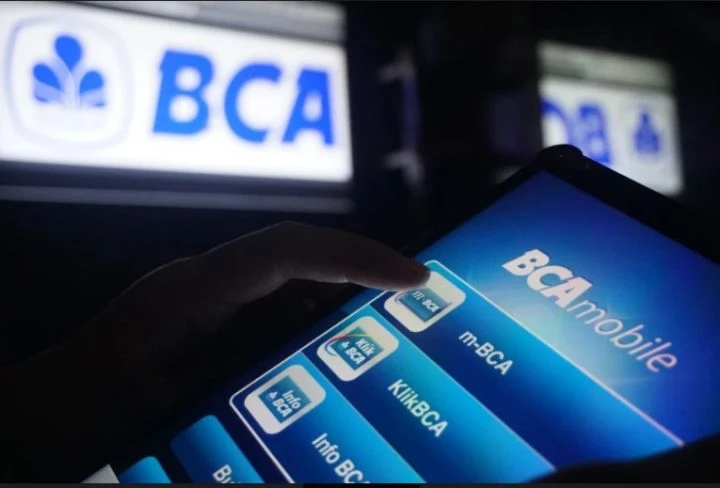
1. How to Transfer BCA to DANA via BCA Mobile (m-BCA)
- Open the BCA Mobile application on your phone.
- Select the m‑BCA menu and enter the Access Code (6 alphanumeric characters).
- On the main page, select the m‑Transfer menu.
- Choose the BCA Virtual Account option.
- In the Virtual Account Number input field, enter the code 3901 + DANA phone number (example: 3901081234567890).
- Tap the Send button in the top right corner.
- Enter the top‑up amount you want, then tap OK.
- The screen will display transaction details (recipient DANA account name and amount). Verify the correctness again.
- If everything matches, tap OK and enter your m‑BCA PIN.
- Done! Open the DANA application to confirm the balance has been credited.
2. How to Transfer BCA to DANA via the myBCA Application
- Open and log in to the myBCA application.
- Tap the Transfer menu, then select Virtual Account.
- Select the Transfer to a new destination option (if the DANA number has never been saved).
- Enter the DANA VA number (3901 + phone number), then tap Next.
- Select the source account (if you have registered more than one account).
- Enter the top‑up amount.
- Check the transaction details on the confirmation screen. If correct, tap Next.
- Enter the myBCA PIN and wait for the success notification.
3. How to Transfer BCA to DANA via BCA ATM
- Insert your BCA debit card into the ATM, then enter your PIN.
- Select the Other Transactions menu.
- Choose the Transfer option, then click BCA Virtual Account.
- Enter the combination of code 3901 followed by the recipient’s DANA phone number.
- Enter the top‑up amount.
- The ATM will display a confirmation screen showing the DANA username and amount.
- Press Yes / Confirm to approve the transaction.
- Keep the ATM receipt as proof of the valid top‑up.
4. How to Transfer BCA to DANA via KlikBCA (Internet Banking)
- Open a browser and log in to the official KlikBCA website.
- On the left panel menu, click Transfer Funds.
- Select the Transfer to BCA Virtual Account menu.
- Enter the DANA Virtual Account number in the input field.
- Type the amount you wish to transfer.
- Check the payment details on the screen.
- Follow authentication instructions using the KeyBCA token.
- Complete the transaction and save the digital transfer proof.
Important Information About BCA to DANA Transfers
- Minimum Transfer
- Currently, the minimum top‑up limit to a DANA account via BCA is Rp20,000. This amount may change at any time according to the app’s policy.
- Admin Fee
- This transaction can be free of charge if you meet the monthly requirements from DANA. If the free quota is exhausted or the requirements are not met, you will be charged an admin fee ranging from Rp500 to Rp1,500 per transaction. Always check the confirmation screen before pressing OK.
Why Does BCA to DANA Transfer Fail or Hang?
- Typo in the VA number
- Account limit reached
- Amount below minimum standard
- Bank/DANA system disruption
Safe Tips for Top‑up DANA Balance
- Always make sure the recipient name shown on the BCA confirmation screen (m‑BCA/ATM/ KlikBCA) matches the name of the DANA account owner.
- Never share your BCA PIN, DANA PIN, or OTP code with anyone, including individuals claiming to be Customer Service.
- To minimize typos, always get into the habit of copying (copy‑paste) the VA number directly from the DANA application.
It’s very easy and offers many options, isn’t it? By mastering the correct method to transfer BCA to DANA, tasks like online payments, e‑commerce shopping, and splitting food bills with friends can now be completed in seconds.
Want to stay updated with tutorials on e‑wallets, guides on mobile banking, and the latest financial technology news? Come on, keep following the latest digital financial education articles only on TheCuy Tekno!
Follow TheCuy — wherever you are
Stay updated wherever you read.

Penulis Berpengalaman 5 tahun.