
Tech giant Google further strengthens user account protection worldwide. Users in Indonesia can now officially use Google’s login feature with a video selfie.
This biometric verification feature, based on facial recording, is presented as an emergency recovery method when users lose access to their primary device.

Surprisingly, this option becomes a primary lifesaver when a phone is lost, damaged, or the user cannot access the computer they normally use to log into Google services.
Users in the country can already find this new option in the account security settings menu. By default, the video selfie recording is only utilized to assist the identity verification process.
Nevertheless, users have full freedom (opt‑in) to share the data for Google’s verification system development or to delete the video recording data at any time to protect their privacy.
High-Level Security Immune to Deepfake Attacks
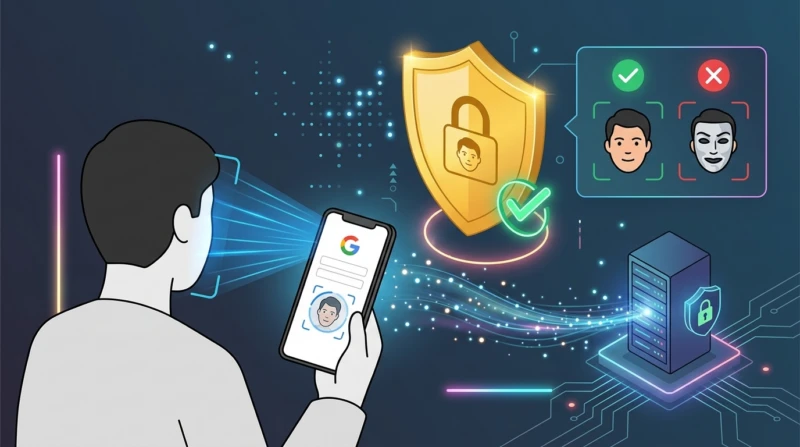
This facial scanning system is designed with strict privacy and security standards. Google implements multiple layers of digital protection to thwart any identity impersonation or account hacking.
But wait, Google’s security technology can detect static photos, re‑recorded videos, and even AI‑based deepfake manipulations.
Here’s the most interesting part. All login recording data from Google’s video selfie feature is stored fully encrypted (encrypted at rest). This means user facial biometric data is guaranteed safe from leakage even when not in use for authentication.
Tips for Using Google’s Video Selfie Login
For those who want to activate this extra security layer, the setup process is very simple and can be done via laptop or mobile phone. Here are the concise steps:
| Configuration Stage | Execution Steps |
| 1. Access Settings | Go to the Google My Account page, then open the Security & sign-in menu. |
| 2. Select Option | In the ‘How you sign in to Google’ section, select the Video selfie option and click Continue. |
| 3. Scan QR Code | If the PC lacks a camera, scan the QR code displayed on the screen using your mobile phone. |
| 4. Face Recording | Remove glasses or a mask, and ensure no one else is within the camera frame. |
| 5. Verification Motion | Follow the simple head movement instructions on the screen to prove the recording is live. |
During the face registration process, the system will ask the user to perform random head movements. This trick is applied to ensure the recording is performed directly by a real human, not system manipulation.
The presence of this face‑based recovery verification option clearly provides extra peace of mind for Google account owners against hacking threats.
While updating digital account security on a daily basis, let’s boost your cyber awareness by reading tips on creating strong passwords, reviews of the latest security apps, or other hottest tech news updates only at TheCuy Tekno!
FAQ
What is the primary purpose of the Google login feature using a video selfie?
This feature serves as an emergency backup method to recover access to a Google account when a user loses their phone or primary device.
Is the user required to remove glasses during the facial recording process?
Yes, users are required to remove glasses, masks, or other face coverings so that AI scanning can be more accurate.
Is the recorded video selfie data secure from data leakage?
Very safe. Google stores all recorded data fully encrypted (encrypted at rest) and does not share it without user permission.
Can this login process be circumvented using photos or deepfake videos?
No. Google’s system is equipped with an anti‑deepfake scanner and requires users to perform live head movements during recording.
Follow TheCuy — everywhere
Stay updated wherever you scroll.
Lihat 2 penulis


Penulis Berpengalaman 5 tahun.