
Mulai 1 Juli 2026, pembelian kartu SIM mewajibkan verifikasi wajah! Berikut panduan melakukan registrasi biometrik kartu SIM Telkomsel, Tri, dan IM3 secara online.
Mulai 1 Juli 2026, pemerintah secara resmi memberlakukan peraturan baru mengenai registrasi kartu SIM pengenalan wajah di seluruh negeri. Ketentuan yang tercantum dalam Peraturan Menteri Komunikasi dan Informatika Nomor 7 Tahun 2026 mengharuskan seluruh operator seluler menerapkan verifikasi identitas berbasis biometrik bagi pembeli kartu SIM prabayar baru.
Langkah ini bertujuan untuk mengurangi angka penipuan digital dan melindungi data kependudukan pengguna dari penyalahgunaan identitas.
Bagi mereka yang baru saja membeli nomor baru, proses ini tidak memerlukan kunjungan langsung ke gerai resmi. Setiap operator telah menyediakan portal online yang bisa diakses dengan mudah melalui ponsel pintar.

Penasaran bagaimana prosedurnya? Yuk, baca panduan lengkap tentang cara registrasi biometrik kartu SIM untuk operator Telkomsel, Tri, dan IM3 di bawah ini!
Langkah Mendaftarkan Kartu SIM dengan Biometrik
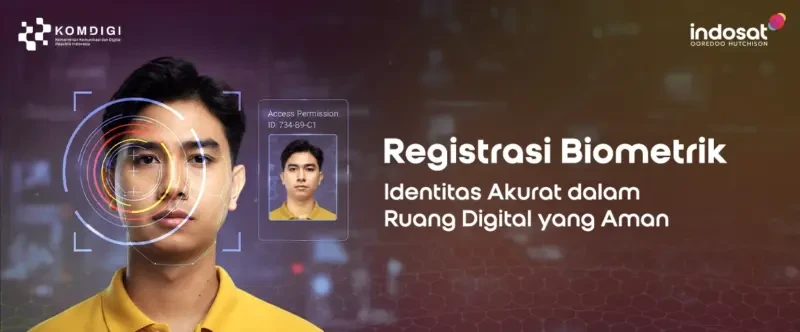
In general, this process matches your live facial photo with the official Dukcapil database. Before you start, make sure you have your Population Identity Number (NIK), a new phone number, and a smartphone with a front camera that works well in a well-lit environment.
Following is a guide for registering biometric data on SIM cards for each operator:
Procedure for Biometric Registration with Telkomsel
- Open the browser on your smartphone or computer and go to tsel.id/registrasi.
- Enter the new Telkomsel number you want to activate.
- Verify by entering the OTP code sent via SMS.
- Provide your Population Identity Number (NIK) as listed on a valid ID card (KTP).
- Follow the on-screen instructions to perform a face scan/photo (face recognition).
- Wait for the system to finish matching your Dukcapil data until you receive a confirmation SMS.
Biometric Registration for TRI SIM Cards
- Visit the official portal at registrasi.ioh.co.id.
- Select the ‘Registration of Prepaid Number with Biometric Verification’ menu option.
- Enter the TRI card number you plan to activate and verify the OTP code received via SMS.
- Enter your NIK that matches the official population data.
- Capture a facial photo following the on-screen instructions (make sure the room is well-lit).
- Wait a few moments for an SMS notification confirming that your TRI card is now active.
Biometric Registration for IM3 SIM Cards
- Go to the official webpage at ioh.co.id/ID/biometrik.
- Click on the ‘Prepaid Number Registration with Biometric Verification’ menu.
- Enter your new IM3 number and the OTP verification code.
- Provide a valid and correct NIK from your ID card.
- Perform a facial scan (biometric scan) following the camera guide lines displayed on the screen.
- If the data matches, a successful registration confirmation will be sent instantly via SMS.
Do Long-time Customers Have to Register Biometrically?
Many users are wondering what happens to their existing numbers. Currently, the requirement for biometric SIM card registration is focused on new prepaid SIM card purchases.
Existing customers whose numbers are already active can generally continue using the services as usual without the need for re-verification, unless further government policies are introduced later.
Tips for Successful Biometric Verification:
Make sure you are in a well-lit room, avoid wearing dark sunglasses or hats during photo capture, and ensure the NIK you enter has no errors so that the Dukcapil verification process runs instantly.
FAQ
Is biometric SIM card registration safe?
It is secure. The verification process is officially regulated under the Minister of Communication and Digital Affairs Regulation No. 7 of 2026 and directly linked to the Dukcapil population data system to prevent identity theft by malicious parties.
What happens if facial verification for SIM card registration fails?
If the verification fails, it is usually due to insufficient lighting, a blurry camera, or an incorrect NIK. You can repeat the photo capture process in a well-lit area or contact the official customer service of the respective operator.
Can biometric registration be done without an internet connection?
No. The facial scanning and Dukcapil data verification require a stable internet connection to access each operator’s official portal.
It’s very convenient, right? Follow the biometric SIM card registration steps above so your new number can be used right away without having to visit the operator’s outlet.
Want the latest updates on tech regulations, smartphone tips, and other recent gadget news? Come and explore more interesting articles exclusively on TheCuy Tekno!
Stay Connected with TheCuy — Everywhere
Keep up with the latest updates wherever you browse.
Lihat 2 penulis


Penulis Berpengalaman 5 tahun.