
FF name spacing can be achieved using a special Unicode character to add empty spaces in the nickname.
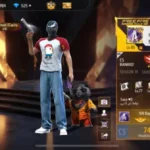
FF name spacing can make a Free Fire nickname appear more distinctive with extra blank spaces between words. The effect cannot be achieved simply by pressing the regular space bar. Players often use a specific Unicode character that looks like an empty space when inserted into the name.
One commonly used character is Unicode U+3164 or Hangul Filler (ㅤ). Even though it appears empty, the character is still recognized by the system as a valid character. Consequently, its use can create spacing in a Free Fire nickname.

Cara Menambahkan Spasi di Nama FF

The easiest way is to use copy-paste. You can copy the empty character ㅤ first, then paste it into the desired part of the nickname.
Here are the simple steps:
- Copy the empty Unicode character ㅤ.
- Open Free Fire and go to the profile page.
- Select the option to change the nickname.
- Type in the name you want.
- Paste the empty character between two words.
- Review the name before saving changes.
For example, you can create a name like “ProㅤPlayer”. The character in the middle will appear as a space without using the regular space bar.
Mengapa Jarak Nama FF Tidak Berfungsi?
Using Unicode in nicknames does not always work across all versions of Free Fire. The game system may update name validation after an update, causing previously usable characters to be rejected.
If the FF name spacing using U+3164 does not work, the character may no longer be supported by the current game version. Thus, the issue may not be due to the phone or keyboard.
Additionally, do not insert too many empty characters. Even though they are invisible, each character still counts toward the nickname length limit. Use them sparingly to keep the name tidy and saveable.
Basically, FF name spacing is created using a special Unicode character, not a regular space. With the copy-paste method, you can try creating a nickname with a more unique appearance.
Follow TheCuy across all platforms
Stay informed wherever you browse.
Lihat juga game lainnya di Info game terbaru Terima kasih telah mengunjungi thecuy . 🙂

Owner Thecuy.com