
If you’re tired of the same old WhatsApp notification sound, you can try creating a WA ringtone from your favorite Indonesian song on your phone. This method doesn’t require any special skills and can be done in just a few minutes. Not only does this make WhatsApp feel more personal, but you also have the freedom to choose the most liked part of the song as the ringtone.
Prepare the Indonesian Song You Want to Use
The first step is to prepare the song that will be used as the ringtone. You can use a song that’s already stored on your phone or download an MP3 file from a reliable source.

Find a Suitable Ringtone Reference
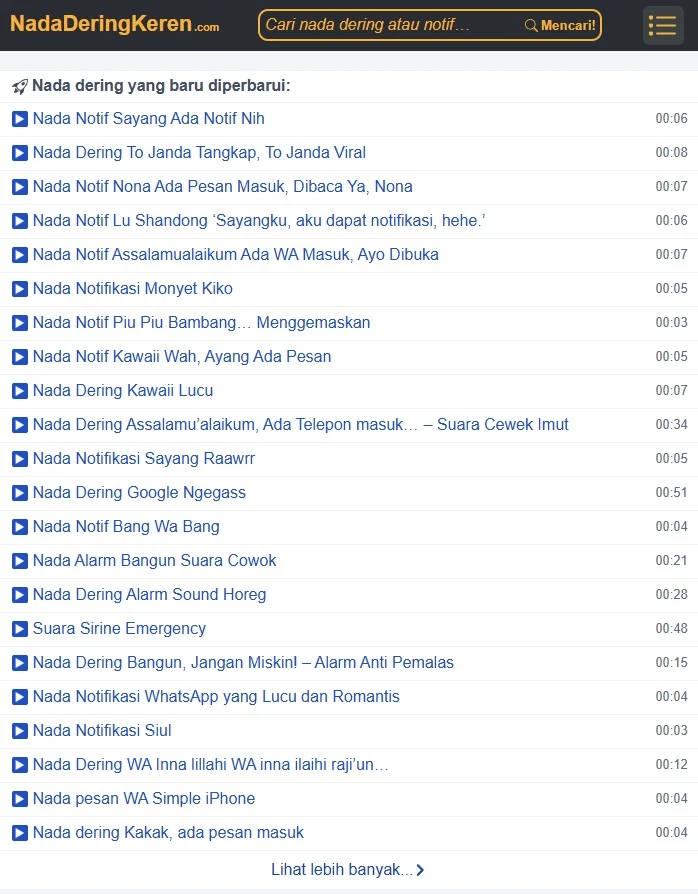
By looking at several examples, you’ll find it easier to determine the appropriate type of tone, whether it’s casual, humorous, or sounds more assertive when a message comes in.
Cut the Song into a Ringtone
After selecting the song, open an audio cutting application on your phone. There are many free apps that allow you to take a specific part of a song without reducing its sound quality.

Choose the part that sounds best to you, then save the result in MP3 format. It’s recommended to give the file a name that’s easy to recognize so you can find it quickly during the later setup process.
Set as WhatsApp Ringtone
Next, open the WhatsApp application and go to the Settings > Notifications menu. Select the Notification Tone or Ringtone menu, then search for the MP3 file you created earlier.
Some Android phone brands also provide different tone settings for personal chat, group chat, and WhatsApp calls. This feature can be utilized so that each type of notification has a different sound.
If the file doesn’t appear in the list, try moving it to the Notifications or Ringtones folder first, then reopen the WhatsApp settings menu.
Alternative If You Don’t Want to Edit the Song
Not everyone has the time to cut a song themselves. As an alternative, you can directly use the WA notification tone download collection that’s already available at NadaDeringKeren.com. Choose a sound that suits your taste, download the MP3 file, and set it as a ringtone without the need for editing.
This method is more practical, especially if you want to change the ringtone regularly with new sound collections.
Tips for Choosing a Comfortable Ringtone
It’s best to use a song snippet that has clear vocals or melody. Avoid parts with overly long intros or too soft volume because the notification may be less audible.
In addition, choose a tone that isn’t too loud so that it remains comfortable to listen to when you’re in the office, school, or public place. Changing the ringtone occasionally can also make the WhatsApp experience feel fresher.
With the steps above, you can easily create a WA ringtone from your favorite Indonesian song. Simply prepare the song, cut the best part, and set it as a ringtone in WhatsApp. The result is simple, practical, and makes your phone feel more personal every time there’s an incoming message or call.
terimakasih sudah mengunjungi thecuy. 🙂

Penulis Berpengalaman 5 tahun.