
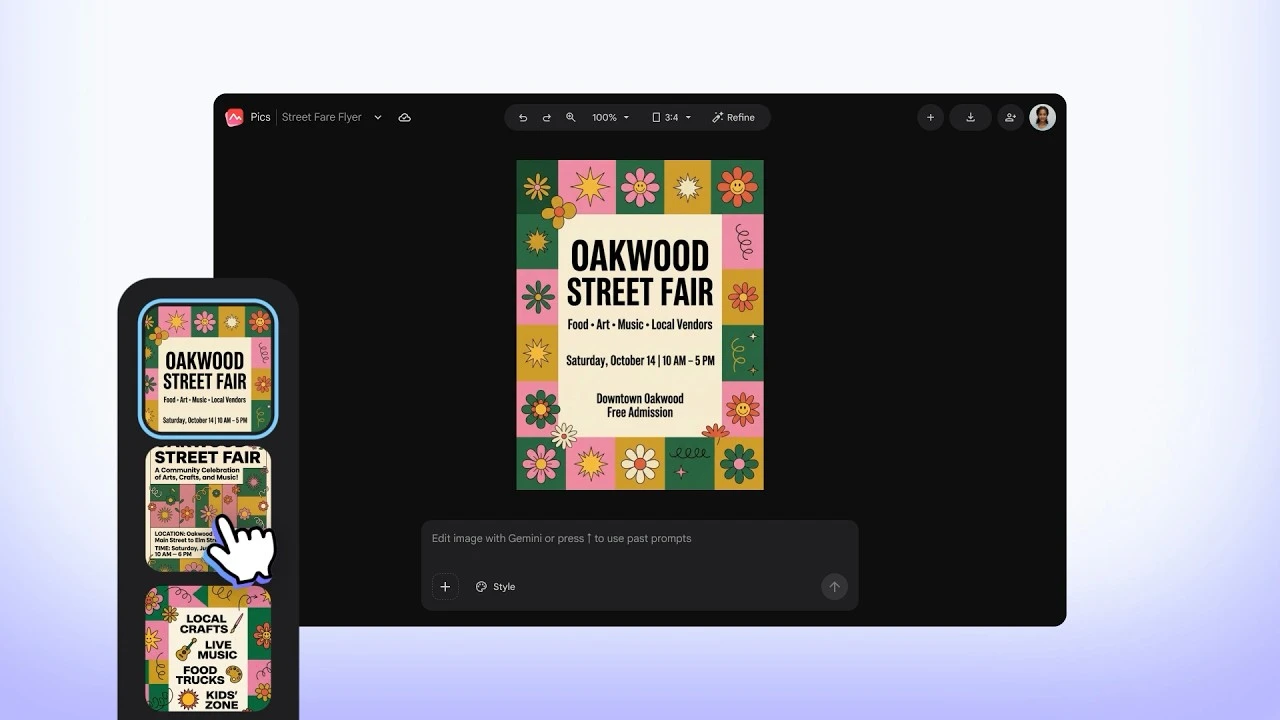
Google Pics was officially launched to the public on Tuesday (1/9/2026) as the latest artificial intelligence (AI) service designed to simplify the process of creating and editing visual content.
With Google Pics, users can generate images or modify existing visuals simply by entering a text command (prompt) based on natural instructions.
Functionally, Google Pics can be compared to the AI image generator Nano Banana in the Gemini chatbot, but it is now exclusively integrated directly into the Google Workspace ecosystem.
Thanks to this integration, document designers or presenters using Google Docs and Slides no longer need to open a separate browser tab to craft visual assets.

With the launch of Google Pics, the search giant is openly presenting a serious challenger to Canva, which has long dominated the web‑based graphic editing market.
So, how advanced are the visual editing features offered by Google Pics within this digital workspace? Let’s examine its main capabilities!
Image Editing Made Simple with Prompts
[embedded content]
Google Pics’ engine is powered by the Nano Banana image creation and editing model, though the developers have not disclosed the specific variant used behind the scenes.
Users only need to type the desired visual description, and the Google Pics system will instantly present several image alternatives so that content arrangement can be adjusted to the document’s aesthetic needs.
In addition to designing images from scratch, Google Pics offers advanced editing features for existing photos. Its technical advantages include:
- Object Segmentation
- A sophisticated feature that can recognize and separate specific objects within an image (e.g., moving or removing a chair from a room photo without damaging the background).
- Spatial Comments
- Users can add text‑based notes to specific areas of an image in order to revise particular sections at the same time.
- Resolution Enhancement (Upscaling)
- Ability to increase image resolution up to 2K or 4K quality for printing or digital media, complete with an undo feature if the final result is unsatisfactory.
Translate Text Directly Within Images
One of the most notable innovations of Google Pics is the presence of the In-image Text Editing and Translation feature. This allows users to modify text that is already integrated into an image without having to redesign the graphic from scratch.
Google Pics’ intelligent system is said to be able to maintain the original font style and design format, so that translation of posters from English to other languages—including non‑Latin scripts such as Korean, Japanese, or Arabic—can be completed instantly.
At the initial stage, all these conveniences can already be enjoyed directly within the Google Docs and Google Slides workspace, while full integration with Google Drive is scheduled to follow soon.
In addition to being embedded within Workspace, Google Pics is also available as a standalone application where users can import images from a computer, Drive, or Google Photos for editing.
According to a report by Tech Crunch, the Google Pics service can be enjoyed by users who have subscribed to the Google AI Pro and Ultra packages, as well as users of the Google Workspace Business line.
The presence of this creative tool is sure to redefine how professional workers design attractive visual documents.
To keep up with updates to Google Workspace features, developments in generative AI technology, and the latest gadget reviews and application trends, be sure to always explore more in‑depth articles only at TheCuy Tekno.
Frequently Asked Questions
1. Apa itu Google Pics?
Google Pics is the latest artificial intelligence (AI) service from Google that allows users to create and edit visual content using text commands (prompt) directly within the Google Workspace ecosystem.
2. Bagaimana cara kerja fitur Object Segmentation di Google Pics?
The feature enables the system to recognize certain objects within an image (such as a chair in a room) so that they can be moved, enlarged, or deleted separately without affecting other visual elements.
3. Apakah teks di dalam gambar bisa diedit atau diterjemahkan?
Yes. Thanks to the In-image Text Editing and Translation feature, users can replace, reformat, or translate text within an image into other languages without damaging the original font style.
4. Siapa saja yang bisa menggunakan layanan Google Pics?
The service can be accessed by users who subscribe to Google AI Pro and Ultra, or users of the Google Workspace Business ecosystem.
Follow TheCuy — everywhere
Stay updated wherever you scroll.
Lihat 2 penulis


terimakasih sudah mengunjungi thecuy. 🙂

Penulis Berpengalaman 5 tahun.